
Different jobs.
One connected platform
A better place to shop. A clearer view of the customer. Less chasing things down. Choose the tools you need, with customer and inventory records that stay connected.
Book a demoMake the website worth shopping
The basics shouldn’t be hard to find. Help people understand the RV before they ask you about it.
Website & listings
Your site, your voice
A dealer-branded website on your domain. Edit pages, navigation and blog posts, then preview before you publish.
Help shoppers narrow it down
RV-aware search and layout, feature and spec filters. Share a search, save it, or request stock and price alerts.
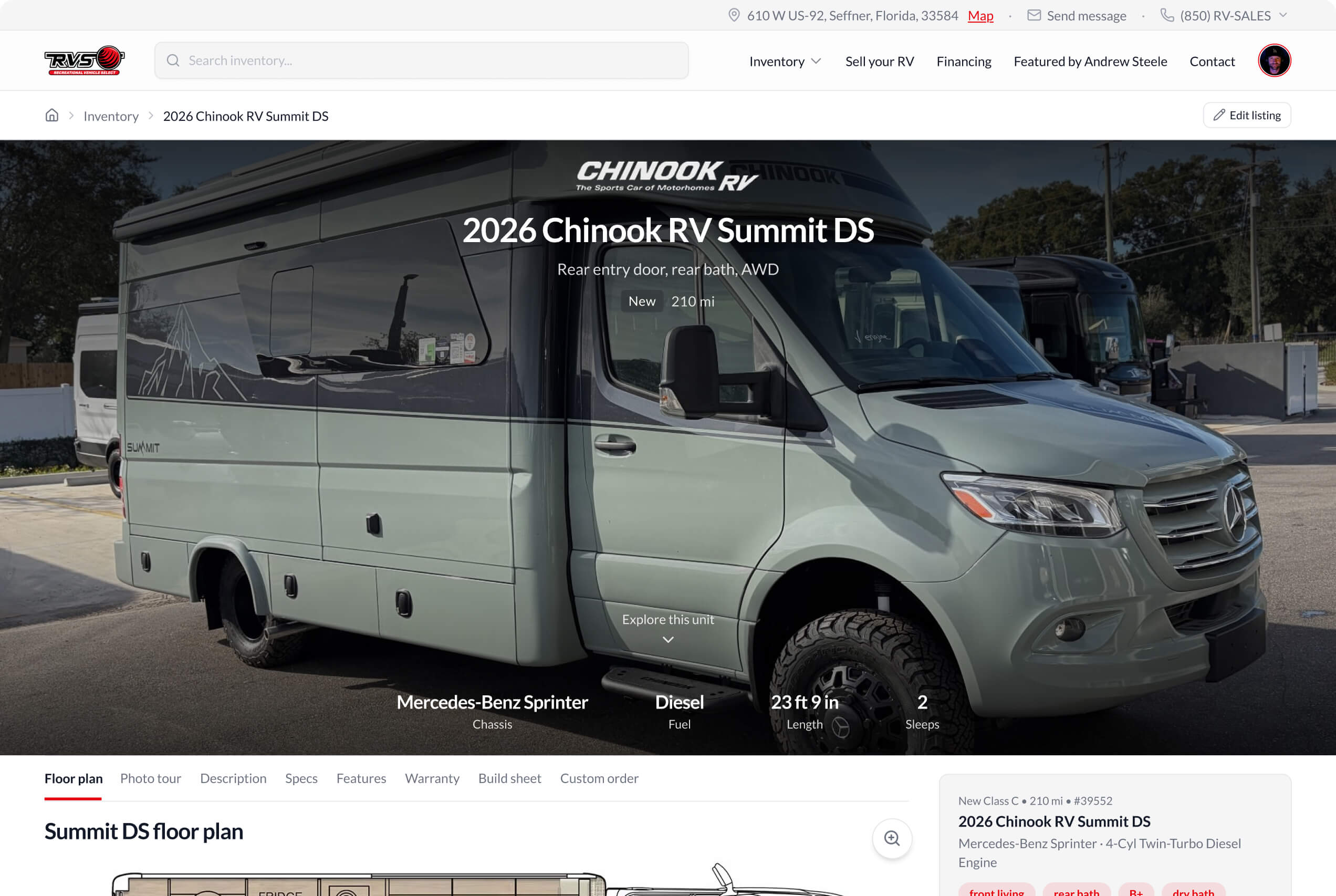
Give every unit a full picture
VIN, stock, pricing and specs alongside photos, floor plans and brochures. Shared catalog details, with unit-specific overrides.
Keep the lot and the listing in step
Manage unit status, publishing checks and bulk status changes. See inventory aging without maintaining a second version of the unit.
Pick up where the shopper left off
CRM & activity
Customer context beside every conversation
See recorded attribution, shopping preferences and the signals behind each lead score. Keep the RV they asked about connected to their record.
Unified conversation history
Keep website inquiries, email, texts, calls and team notes in one history. Reply with unit context, saved responses and attachments.
Marketing
Have something relevant to say
Branded emails built around your inventory
Build branded emails, choose an audience, personalize, preview and test before scheduling. Track delivery and engagement, with replies routed to staff.
Capture preferences on a tablet
Use the capture portal at an event or in the showroom. Save the shopper’s buying preferences so your team can follow up with relevant RVs.
Lead nurturing
Turn shopper interest into a conversation
Shopper tools and sales-rep tools share the same preferences. Help people keep exploring while your team finds relevant contacts to follow up with.
Shopper profiles
Shoppers can share their preferred RV types, layouts, features, buying timeline and budget. Your team starts with the context they’ve already provided.
Opportunities
Choose an RV and see matching contacts, with a score and reasons for each match. Use preferences, budget and recent activity to decide who to contact.
Explore interest
Find existing contacts by the RV features they want. Combine preferences with Any tag or All tags and browse matches by RV class.
Shoppers can save searches and watch listings for updates.
Your inventory, from arrival to the next campaign
Ads & creative
Carousel builder
Choose unit photos and floor plans, edit the captions and arrange the slides. Export a branded image carousel ready to share.
Video editor
Start with your inventory and branding. Adjust the video in the editor, preview the timeline and export an MP4 for social channels.
Catalog ads
Build ad creative from your inventory and branding. Supported Meta catalog connections keep the RV behind the ad connected to the listing.
Export creative for your team to publish. Meta catalog connections require setup and account eligibility; creative tools do not buy ads or post automatically.
Inventory
Details from the RV library
Choose a model and year to populate available specifications, floor plan images, layouts and feature tags. Our library consists of 150+ layout and feature options that help shoppers browse inventory how they want to. Add unit-specific details and overrides as needed.
One unit record from arrival to delivery
See calendar events, direct leads, shopper interest and conversation history beside the listing. Matched opportunities show why a shopper may fit the RV.
Organized listing photos
Categorize photos, organize them into groups, set their order and choose the featured image. Keep the gallery and listing details together.
Prep and costs with the RV
Connect inspections, work orders and calendar events in a prep workflow. Track acquisition, transport and reconditioning costs on the unit record.
The tools to take every deal through delivery
From the first worksheet to the next service visit, keep the work connected to the customer and the unit.
Desking + F&I
Credit applications on your website
Collect applicant and optional co-applicant details, residence and employment history, and separate authorizations in a mobile-friendly application.
RV desking and F&I through Pre-Pair
Our Pre-Pair integration connects ROOFTOP’s dealership tools with RV-specific lender comparisons, pencil rates and deal structuring. Your team can work across fewer platforms.
Credit & provider connections
700Credit prequalification and full-credit tools, plus AppOne forwarding, are available.
Scheduling
Shared calendar and daily agenda
See deliveries, PDIs, repairs and customer visits together in the month view. Switch to a daily agenda with appointment times, customers and linked RVs on a tablet or phone.
Prep appointments linked to the RV
Keep each appointment connected to its unit and prep step. Follow the work from inspection and reconditioning through PDI and delivery.
Service
Work orders and inspections on one board
See the RV, assigned technician and time in each status. Move work through approvals, active repairs and parts while keeping its history.
Inspections where the work happens
Complete checklists on a tablet or phone. Mark pass, fail or N/A, add notes and create a linked work order from inspection findings.
Your team works from the same customer and inventory records
Shared records
The same customer and inventory context runs through the platform. Choose useful modules without rebuilding the customer’s story in every tool.
Useful reporting
See funnel activity, response times, inventory aging, email and source activity, and recorded outcomes. Understand the work without inventing an attribution story.
The right access
Custom team roles, own-versus-all records, location access and financial visibility. Give staff the context they need, with boundaries where they belong.
Integrations that smooth your workflow
Bring calls, messages, leads and inventory marketing into your workflow with connections to Quo, Facebook Lead Ads, Meta catalogs and RV Trader.
Bring your inventory into ROOFTOP
Import inventory files from your DMS into a review workflow, so your team can prepare new listings with less manual entry. Keep the details you receive connected to the tools you use to market and sell each RV.
RV shopping has changed. Your website should, too
Many dealer website platforms still follow an old lead-capture playbook. Our free audit checks how your site serves today’s RV shopper, from Google and AI answers to the photos, floor plans, and prices on your listings.
Get your free website audit
Prefer to talk it through? Book a demo
What’s in your report
Google & AI visibility
Your visibility in Google and AI answers, including searches for the brands and floor plans you sell
Real shopper experience testing
Search, filters, pop-ups, page layout, and what happens when shoppers click a price button
Pricing & inventory aging
Your asking prices against similar RVs at other dealers, plus how long your inventory has been listed
Listing photos & details
How thoroughly your photos, floor plans, specs, and descriptions help shoppers understand each RV
Speed & accessibility
Mobile load times, page stability, usability, and accessibility, alongside the technical scores
Compliance & privacy
Price transparency and fee disclosures, credit-form consent (FCRA), privacy practices, and accessibility concerns under the ADA
See how your inventory would feel on a ROOFTOP website
We’ll build a demo with your inventory so you can try the listing pages and search for yourself.